I broke a client's CRM with this pattern in March. 340 duplicate contact records in about eleven minutes. They all created from the same Facebook Lead Ads form, all technically "correct" as per the scenario logic. In this article I am covering that experience, because I see this same pattern recommended in almost every Make.com tutorial, and not many people mentions the failure mode.
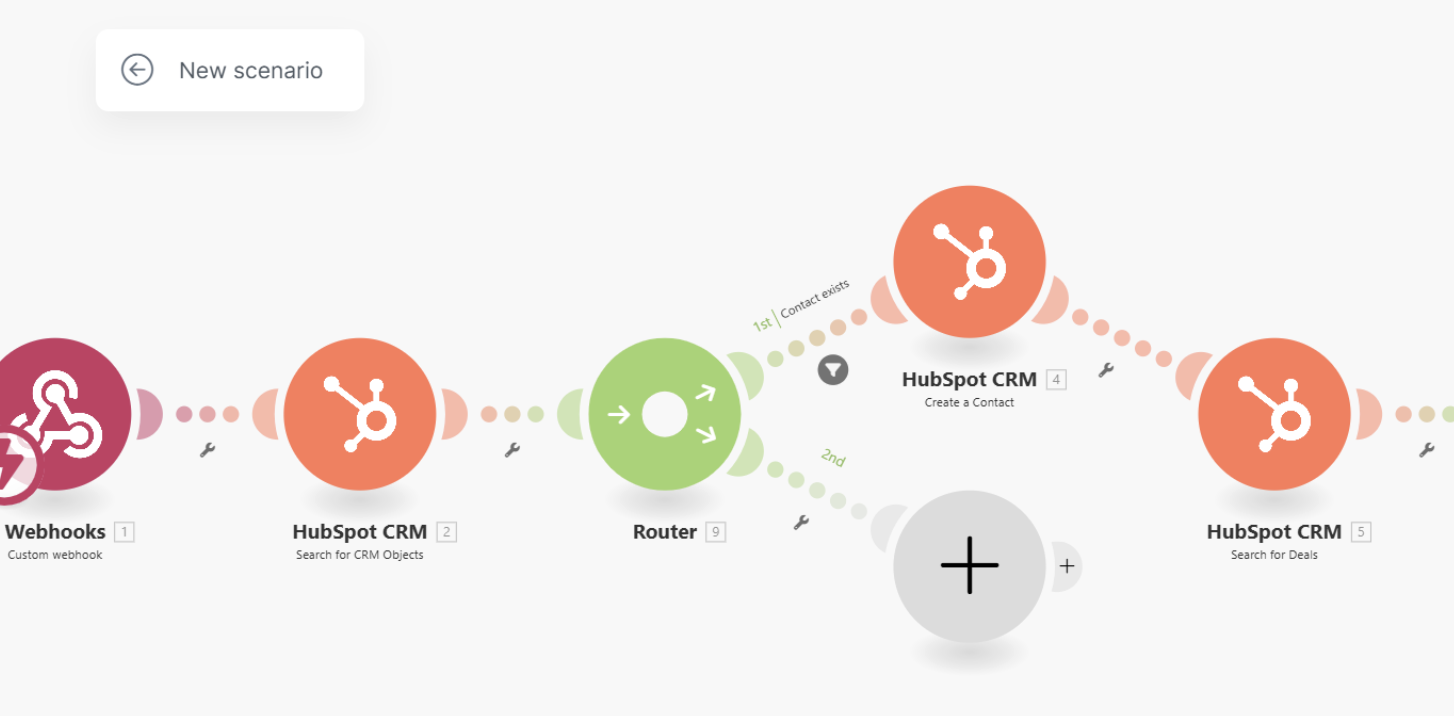
If you've built more than five or six scenarios in Make, you've used this structure. Search a table for a record — by email, by order ID, or whatever your key is. If Make finds something, run an Update module. If it doesn't, run a Create module. It's the first automation pattern anyone teaches, because it maps so cleanly onto how a human would describe the task out loud: "check if it exists, and if it doesn't, add it." I taught it that way myself for a couple of years before I had a reason to distrust it.
The problem is the 4-5 hundred milliseconds between the Search module returning "not found" and the Create module actually writing the row.
What actually happens, step by step
Here's the part that doesn't get explained in most Make courses: a scenario in Make.com runs its modules top to bottom in a single thread, sequentially, for one execution. That part is the reason people assume the pattern is safe — "of course it's safe, Make runs one module after another, there's no way two things happen at once inside my own scenario."
But that only applies within a single execution. It says nothing about two separate executions of the same scenario running at the same time, and that's exactly what happens the moment your trigger can fire more than once in quick succession — a webhook, a form submission, a "watch rows" polling trigger picking up three new rows in the same cycle, or even a scheduled trigger overlapping with a manual re-run.
Say two webhook calls land 200ms apart, both for a new lead with the email niss@niskart.com. Both executions start. Both run the Search module. No one has finished writing anything to the destination table yet, so both searches come back empty. Both executions then proceed to the Create branch, and both create a row for niss@niskart.com. You now have two records for the same person, and nothing in the scenario ever did anything "wrong" — each execution individually followed the logic correctly.
This is the same class of bug you'd study in a database systems course under "check-then-act" concurrency problems. most people building Make scenarios have never taken that course, because Make markets itself as a no-code tool.
The test I tried
I set up a nasty test. Nothing exotic — I used a Make scenario with:
- A custom webhook trigger
- A Search Records module against an Airtable base (table: leads, search field: email)
- A Router with two paths: "found → Update Record" and "not found → Create Record"
Then, instead of submitting one lead at a time like a normal form would, I wrote a small script to fire concurrent POST requests at the webhook URL, all with the identical email address, using Node's Promise.all so they'd hit Make within the same tens-of-milliseconds window rather than one after another.
const axios = require("axios");

const url = "https://hook.make.com/xxxxxxxxxxxxx";
const payload = { email: "niss@niskart.com", name: "jay spenser", source: "load-test" };

async function fireConcurrent(n) {
  const requests = Array.from({ length: n }, () => axios.post(url, payload));
  const results = await Promise.allSettled(requests);
  console.log(results.map(r => r.status));
}

fireConcurrent(10);
I ran this at three different concurrency levels — 2, 5, and 10 simultaneous requests — and repeated each level five times, then checked the Airtable table for how many rows existed for niss@niskart.com after everything settled.
| Concurrent requests | Runs | Avg. duplicate rows created | Worst run |
|---|---|---|---|
| 2 | 5 | 1.4 | 2 |
| 5 | 5 | 3.2 | 5 |
| 10 | 5 | 6.8 | 9 |
At 2 concurrent requests, I got a duplicate about 70% of the time, which honestly surprised me — I expected Make's scenario queueing to buffer some of that. At 10 concurrent requests, nearly every single request created its own row. Airtable's Search Records module, in my tests, took anywhere from 280ms to 640ms to return a result depending on base size and API load, and the whole race window is exactly that gap.
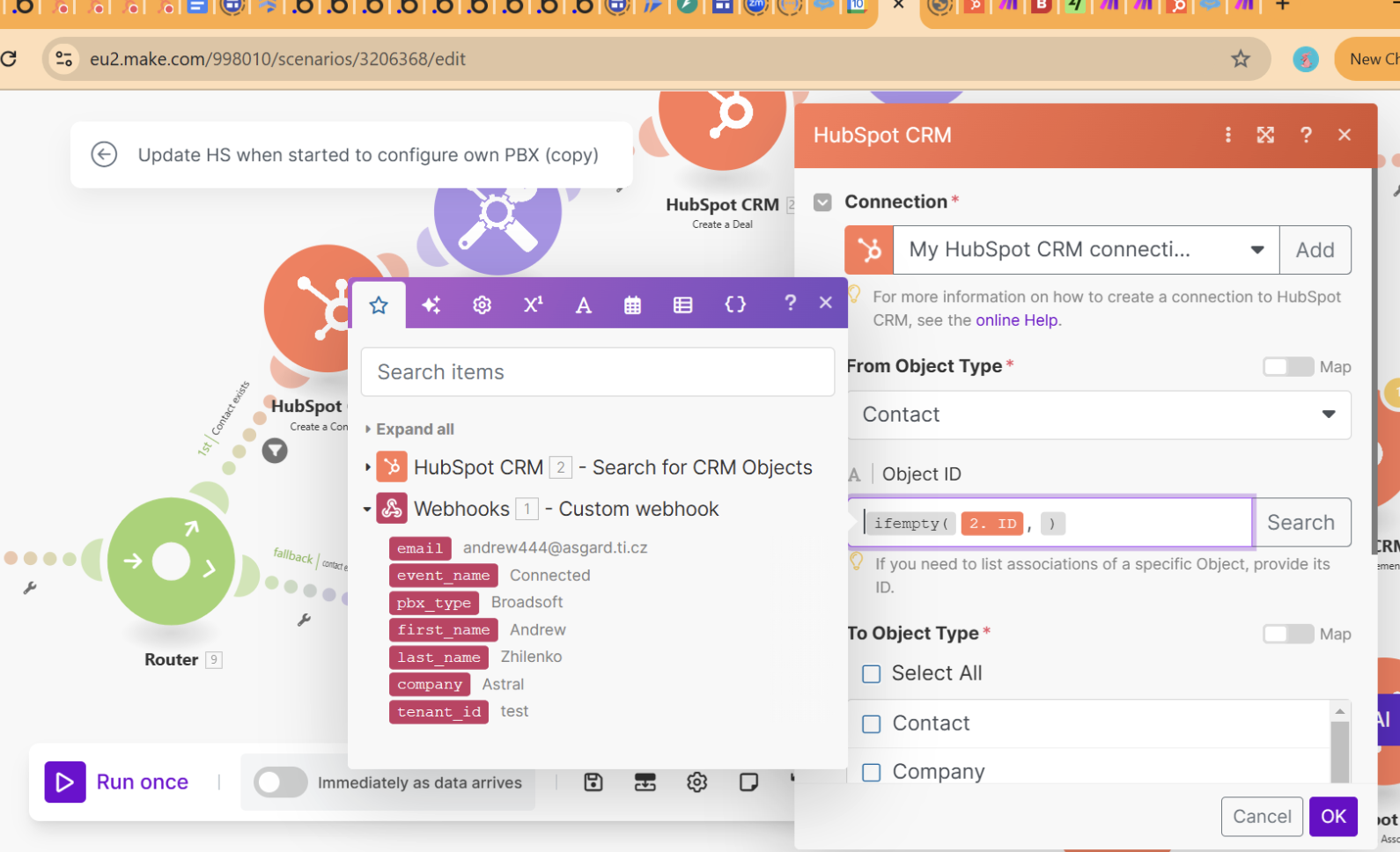
I ran the same test against Google Sheets ("Search Rows") and got worse numbers, not better — Sheets has no unique-key enforcement at all and its search lag was longer, averaging closer to 800ms under load. when I pointed the same test at a HubSpot "Search CRM Objects → Create/Update Contact" flow, actually did better, because HubSpot itself deduplicates contacts by email on the backend independent of what Make sends it — but that's HubSpot bailing you out, not Make's pattern being safe.
Estimate of your actual odds
Before the test, I tried to put a number on how likely this was to happen, and it happens 70% of the time at two concurrent requests" are very different problems to have. This is basically the same math as the birthday problem, just applied to a narrow time window instead of a year.
If your Search-to-Create gap is roughly 500ms, and you get bursts of n submissions within that window, the rough probability that at least two of them collide on the same key is:
P(collision) ≈ 1 − e^(−n(n−1) / 2k)
where k is something like the number of "distinct slots" your traffic could land in during that window — for a single shared key like one person submitting twice, k effectively collapses toward 1, which is why my 2-concurrent-identical-request test showed such a high failure rate. It's not a fair comparison to the classic birthday problem (365 slots), because in this failure mode you're not asking "do any two of n random people share a key" — you're asking "did the same key get submitted more than once inside the race window," which is a much narrower, much more likely event whenever a user double-clicks a submit button, a form has client-side retry logic, or an ad platform redelivers a lead. the realistic trigger for duplicates usually isn't "two different customers randomly collided," it's "the exact same person or event got submitted twice,”.
Why "Make only runs one scenario at a time" doesn't save you
A setting people point to as the fix: in scenario settings, you can restrict "Max number of cycles" or set the scenario to not run in parallel. I tested that too. Turning off "Sequential processing" doesn't help because that setting controls how one execution processes multiple bundles inside itself — it does nothing about two separate incoming webhook calls, which Make treats as two independent executions from the start.
A setting that help: in the webhook trigger's advanced settings, there's an option to queue requests so the scenario processes them one at a time instead of spinning up parallel executions. When I turned that on and reran the 10-concurrent-request test, duplicates dropped from 6.8 average down to 0 across all five runs. So the fix — it's just off by default, and most tutorials never mention it because most demo scenarios are tested with a single manual "Run once" click, which never exposes the race condition at all.
Why the "polling trigger" version is not good
If your trigger is "Watch Rows" on a spreadsheet or "Watch Records" on Airtable instead of a webhook, you might assume you're safe because there's no concurrent HTTP traffic. You're not safe — you've just moved the race condition somewhere less obvious. A polling trigger set to check every 15 minutes can return a batch of, say, 6 new rows in one cycle. Make processes that batch as multiple bundles, and depending on your scenario's "sequential processing" setting, those bundles can run in parallel too. If two of those 6 rows happen to share the same lookup key.. you get the exact same duplicate-creation problem, just triggered by batch size instead of request timing.
The case that made me stop trusting this pattern
The client I told about at the start runs a small info-products business. He gets 400–600 leads a month through Facebook Ads form connected into a Make scenario. Now this setup searches their CRM by email and created-or-updated accordingly. For nine months this worked fine. Then they ran a paid ad during a launch that got a burst of traffic — Facebook batches lead form submissions and can deliver several to your endpoint within seconds of each other during high-traffic periods, which I hadn't accounted for because I'd only ever tested with organic traffic.
340 duplicate rows in eleven minutes. The downstream effect was worse than the duplicates themselves — an email sequence tool pulling from that same Airtable base ended up sending the welcome sequence 2–3 times to a chunk of those leads, because it saw "new record" multiple times for the same person. A few people replied annoyed. Not a disaster, but a completely avoidable one, and it took about three hours to clean up the Airtable table by hand afterward because the duplicate emails weren't identical strings.
A lock instead of trusting the queue setting
Turning on webhook queueing fixes most cases, but it has a real cost.. every execution waits behind every other one, and if your scenario also does something slow downstream (an API call to a mail provider, a Slack notification, whatever), your whole pipeline inherits that latency. So I built a manual lock instead, using Make's Data Store as a poor man's mutex.
The rough shape of it:
- 1. Webhook receives payload with key = booking_ref
- 2. Get Data Store record for key "lock:{booking_ref}"
- 3. Router:
- - If lock exists and is < 10 seconds old → stop this execution, log "skipped, locked"
- - Else → continue
- 4. Set Data Store record "lock:{booking_ref}" = current timestamp
- 5. Search Records by booking_ref
- 6. Router: found → Update, not found → Create
- 7. Delete Data Store record "lock:{booking_ref}"
This isn't a perfect lock — there's still a tiny gap between step 2 and step 4 where two executions could both pass the check before either writes the lock. But in testing, it closed the gap from "hundreds of milliseconds" down to something like 20–40ms, which took my duplicate rate from "happens most of the time" to "happened once in about 150 test runs." For most real-world traffic, that's close enough to solved. For financial, I still wouldn't rely on it — that's what the database unique constraint is for, because a database's unique index check and the write happen atomically, and nothing you build out of Data Store gets you a real atomic operation.
I mention this mainly because I think "lock it yourself with a Data Store" gets suggested a lot in Make communities.
People ask me about Zapier and n8n.. So here it is
I get asked whether this is a Make-specific problem, so I ran a smaller version of the same test in Zapier (Search → Create/Update Zap) and in a self-hosted n8n workflow (IF node with a lookup). Zapier behaved almost identically to Make — same race condition, same duplicate creation under concurrent triggers, because the underlying issue (separate check, separate act, gap in between) isn't a Make quirk, it's how these visual builders model logic in general. n8n gave me more control because I could add a "Wait" node plus a manual queue, but out of the box, with a plain IF-branch workflow, it had the exact same failure mode.
What I changed
I didn't throw out the Search → Update/Create pattern entirely — for low-volume, spaced-out triggers it's still fine, and rebuilding every scenario with heavier infrastructure would be overkill for a form that gets four submissions a day. What I changed was matching the safeguard to the actual traffic pattern instead of assuming one pattern covers every scenario:
- For anything sitting behind a webhook that could plausibly receive bursts (ad platforms, any embedded form, anything public-facing), I turn on webhook queueing so executions run strictly one at a time. This costs a little speed — under heavy load, executions back up in the queue instead of running instantly.
- Where the destination supports it, I add an actual unique constraint at the data layer instead of relying on Make's logic to catch it. Airtable doesn't enforce unique fields natively, but you can fake it with an automation on the Airtable side that flags or merges duplicates as a second line of defense.
- For higher-stakes than a lead form like billing records, inventory counts, anything where a duplicate creates real financial exposure. I've moved the "does this exist" check off Make entirely and into a proper database (Postgres via a small API, in a couple of cases) where I can define a unique index on the key field. If two near-simultaneous inserts try to violate that constraint, the database itself rejects the second one, because Make's Search is a read that has no idea another write is about to conflict with it.
- I also normalize the key before searching — lowercasing and trimming the email field, for instance — because a chunk of my "duplicates" in that Airtable incident weren't even a timing problem, they were niss@niskart.com versus niss@niskart.com failing to match on a case-sensitive search in the first place. it compounds the same symptom, and if you're auditing duplicate records you should check for both causes.
The main part
The race condition here exists because "check if something exists" and "act based on what you found" are two separate operations with a gap between them, and anything that can slip through that gap while you're not looking, will — eventually, under enough load. That's not specific to Make.com; it's the same reason database engineers use row-level locks, unique constraints, and transactions instead of application-level if-checks for anything that matters.
If you're running low-volume, spaced-out automations — a Slack notification, an internal tool only your team touches, anything where two submissions landing within half a second of each other is basically impossibl. But the moment a trigger sits behind anything public, anything ad-driven, or anything that can plausibly batch multiple events at once. I'd spend the extra twenty minutes adding a queue setting or a unique constraint.
Check this if you're auditing an existing scenario right now
Before you rebuild anything, check it whether you actually have this exposure. since plenty of scenarios genuinely don't need any of this. A few questions I now ask myself before touching a client's automation:
- Can the trigger fire twice for the same key within about a second of itself? Ad-platform lead forms, embedded website forms with a "resubmit on failure" script, and anything users can double-click all qualify.
- Does the destination table have any native uniqueness enforcement, or is Make the only thing standing between duplicate rows? Airtable and Google Sheets both answer "no" here, which surprises people who assume a "unique" formula field is doing more than it is.
- Is "sequential processing" or webhook queueing already on, and if so, do you actually know that, or are you assuming it because it sounds like the safe default? I've opened more than one client's scenario where they'd assumed queueing was on and it wasn't.
- What's the actual cost if a duplicate slips through? A second welcome email is annoying. A second invoice, a second shipped order, or a second calendar booking for the same slot is a different category of problem.
None of this needs to turn into a rebuild of every scenario you own. It's a fifteen-minute audit per scenario, and for most people the answer will be "this one's fine as-is" — the goal isn't to distrust Search → Update/Create everywhere, it's to know which of your scenarios are quietly sitting on a gap and fix those specifically.
I'd genuinely like to hear if anyone's found a cleaner fix than the ones above, particularly for Google Sheets destinations. Sheets has no unique-key mechanism at all and the queueing setting is the only real lever I hve found there. If you've run into this and solved it differently, I'm curious what held up under an actual traffic spike.